
Check your phone for spyware (iPhone & Android)
We check your phone against thousands of known spyware signs, updated daily.
Check an iPhone or Android for known spyware and stalkerware, using public lists from Amnesty International, MVT and Echap. Your phone’s diagnostic file is checked in your browser and never uploaded.
- Free risk check2 minutes, no payment.
- Choose a checkFrom £2.50, paid once.
- Make a file and check itNever uploaded.
In danger now? Call 999. Free, confidential helplines →
Step 1: Free risk check
8 yes/no questions, about 2 minutes. Your answers never leave this browser.
Step 2: Choose a check
You pay once. There is no subscription. Each price is the total for that check.
Scan
£2.50
- Checks your phone’s diagnostic file for known spyware and stalkerware
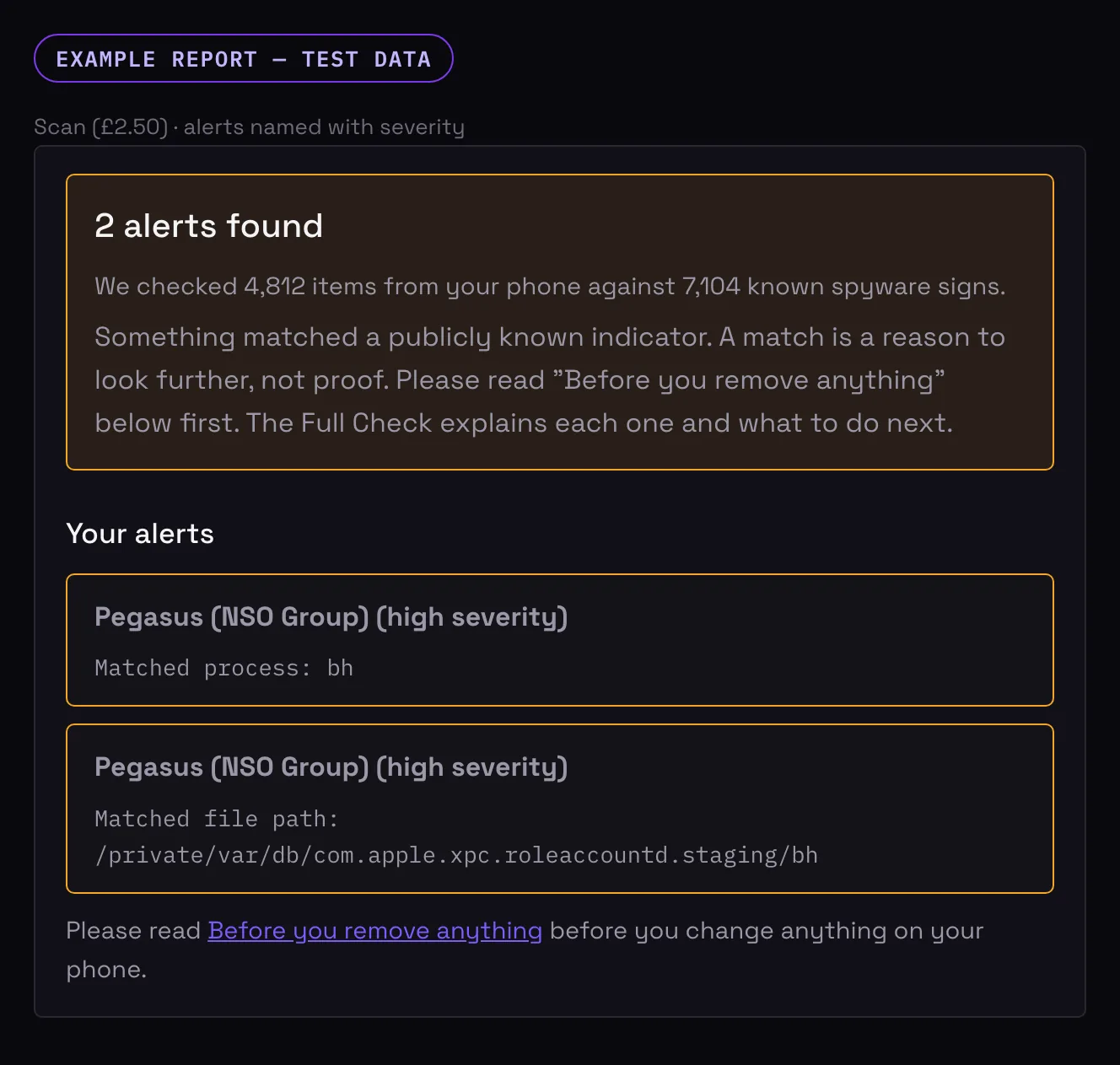
- Shows each alert it finds, named, with a severity rating
- No explanations or checklists
- One scan (retry within 24 hours if something goes wrong)
Full Check
£4.99
- Everything in the Scan
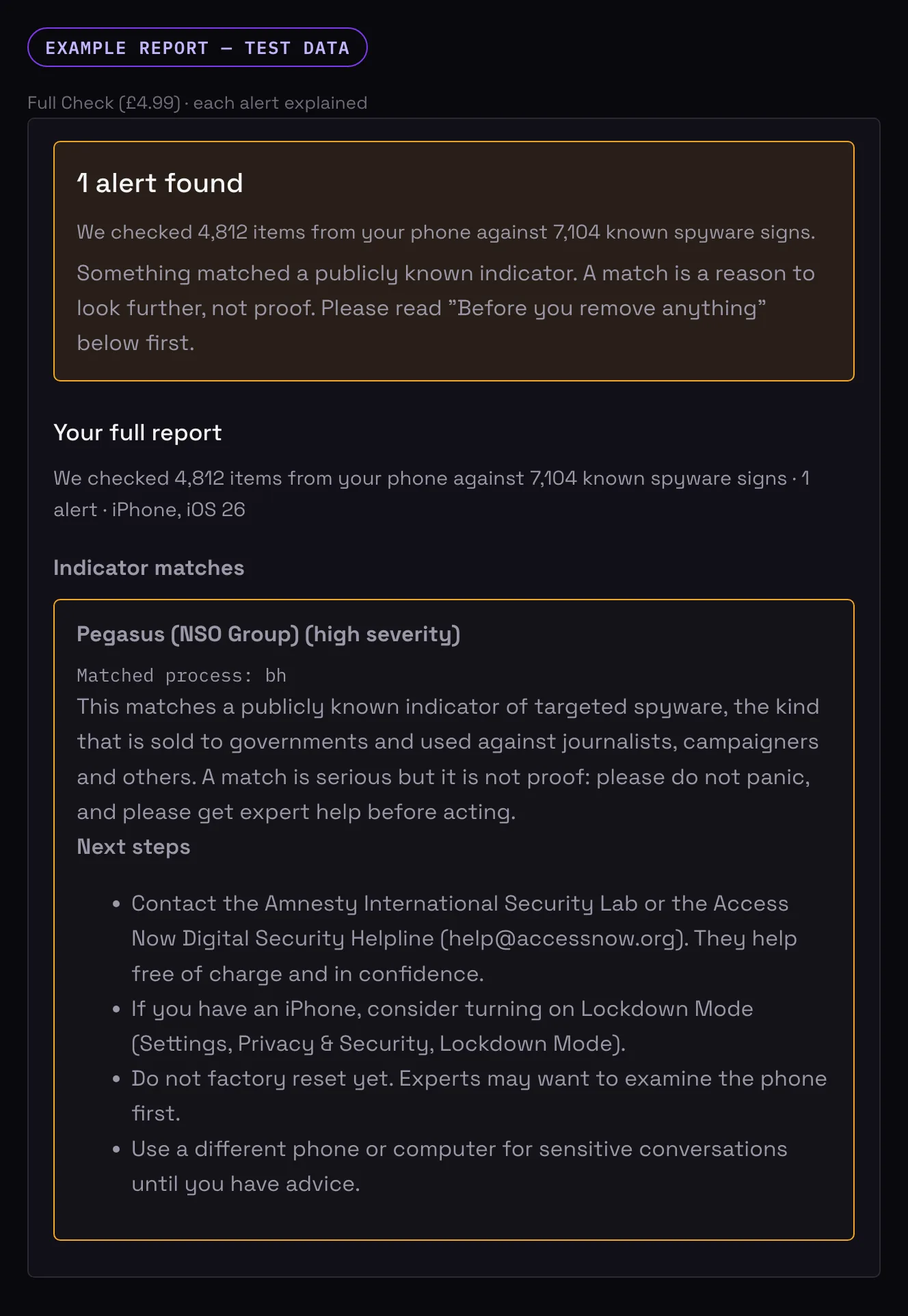
- Each alert explained in plain English, with next steps
- Checklists for messages, location sharing and access to your phone
- On Android, apps worth reviewing, with detail
- A summary of what was checked
- One scan (retry within 24 hours if something goes wrong)
Evidence Pack
£9.99
- Everything in the Full Check
- A PDF evidence report you can keep
- A clean-up guide
- Scan again and update your report for 30 days
Start small and upgrade later — you only pay the difference. Scan £2.50 → Full Check costs £2.49 more.
Access lasts 30 days from your first payment. Your bank statement will show AIDREN. Use an email address only you can access, because your access link is sent there.
See example reports (test data)
What your report looks like
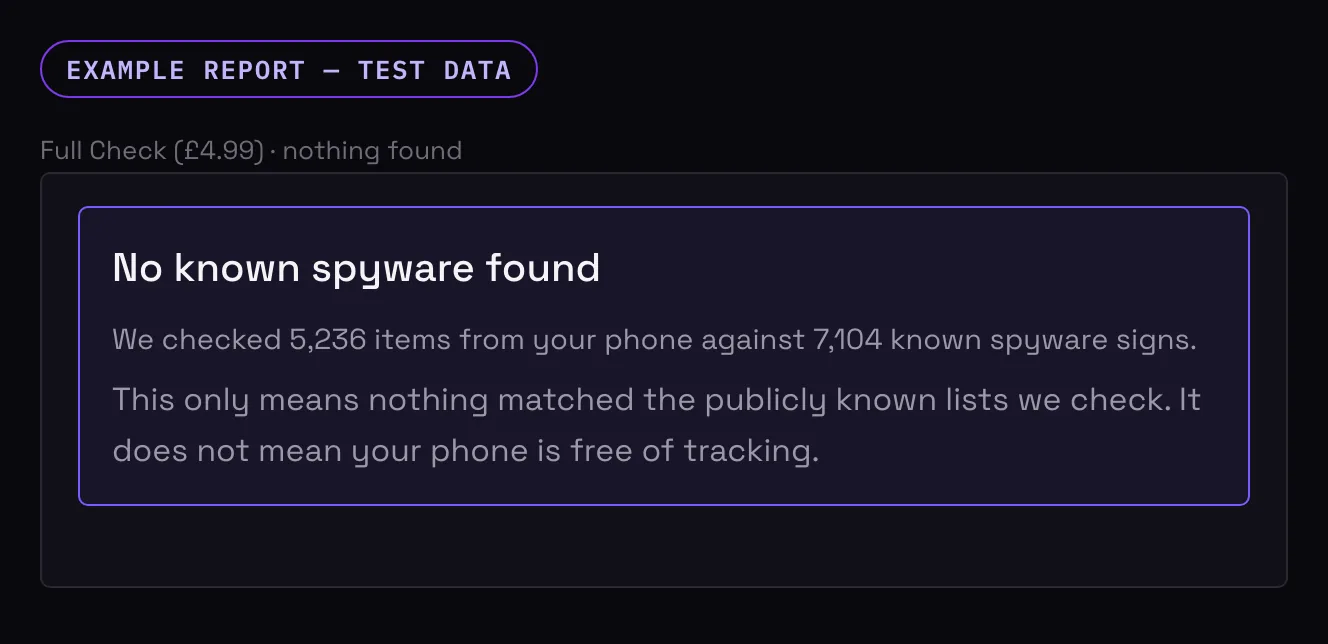
These are examples made with test data, not anyone’s real phone. Most checks find nothing.
Step 3: Make a diagnostic file (free guide)
This takes about 15 minutes, most of it waiting. The file it makes is a diagnostic report of about 350 MB.
Set up the shortcut (easiest way)
- Open Settings → Accessibility → Touch → AssistiveTouch and turn it On.
- In the same screen, under Custom Actions, set Single-Tap to Analytics.
- Keep the phone unlocked, then tap the floating AssistiveTouch button once. You should feel a short buzz.
No floating button? Instead, press and hold both volume buttons and the side button together for about 1.5 seconds, until you feel a short buzz.
Wait, then find the file
- Wait 5 to 10 minutes with the phone unlocked. Tip: go to Settings → Display & Brightness → Auto-Lock and choose Never. If that option is greyed out, turn off Low Power Mode first.
- Go to Settings → Privacy & Security → Analytics & Improvements → Analytics Data.
- Find the newest file starting sysdiagnose_ and tap it. Tap the share icon.
- Move the file to the computer or device where you are reading this page in a way that stays on your own equipment: a USB cable, AirDrop to a Mac you trust, or Save to Files on the phone and then a cable. Please do not email it to yourself or upload it to iCloud, Google Drive or any other cloud service. If anyone else can sign in to that account, they could see the file. Then drop it into the box below.
Delete the file when you are done. It holds detailed information about your phone. Delete it from the phone (Analytics Data: swipe left on the sysdiagnose file, and in the Files app delete it and then empty Recently Deleted), from the computer (the Downloads folder, then empty the bin or Recycle Bin), and from any email or cloud copy.
Afterwards: set Auto-Lock back to how it was and turn AssistiveTouch off. If you are worried someone checks your phone settings, do this tidy-up once you are safe to.
Same steps on their own page: how to check an iPhone for spyware.
Menu names vary slightly between makers (Samsung, Google, Xiaomi and others). If you cannot find one, search for it in Settings.
- Open Settings → About phone.
- Tap Build number 7 times. You may need to enter your PIN. A message says Developer options are on.
- Go back to Settings and open Developer options.
- Tap Take bug report and choose Full report (or Interactive report) when asked.
- Wait. A notification appears when the report is ready. Move the .zip file to the computer or device where you are reading this page in a way that stays on your own equipment: a USB cable (set it to File transfer) or Quick Share / Nearby Share to a computer you trust. Please do not email it to yourself or upload it to Google Drive or any other cloud service. If anyone else can sign in to that account, they could see the file.
- Drop the .zip into the box below.
Delete the report when you are done. It holds detailed information about your phone. Delete the .zip from the phone (the Files app, usually in Downloads or the bug reports folder), from the computer (the Downloads folder, then empty the bin or Recycle Bin), and from any email or cloud copy.
When you have finished, you can switch Developer options off again in the same menu.
Same steps on their own page: how to check an Android phone for stalkerware.
Step 4: Check your file
Choose a check in Step 2. When your payment is confirmed you will be able to add your file here.
Your check includes one scan. Make sure you’ve chosen the right file. If something goes wrong, you can try again within 24 hours.
Drop your file here, or choose it from your device
Checked in your browser. Your file is not uploaded.
Your result
Your result will appear here once you have added a file.
Staying safe
Before you remove anything
- If you find something, do not delete it straight away. The person who installed it may be alerted, and removing it could make a dangerous situation worse.
- Removing spyware can also delete evidence you may want later, for the police or a solicitor.
- Talk to a trained adviser first. The helplines below are free and confidential.
- If you can, use a phone they have never touched for private calls and searches.
- Even when nothing is found, change your passwords and Apple ID or Google account password from a safe device.
Where to get help
- In danger now: call 999. If you cannot speak, stay on the line and press 55 when asked (the Silent Solution). This works from a mobile.
- National Domestic Abuse Helpline (run by Refuge, free, 24 hours): 0808 2000 247 · nationaldahelpline.org.uk
- Men’s Advice Line (free, weekdays): 0808 801 0327 · mensadviceline.org.uk
- Galop, LGBT+ Domestic Abuse Helpline (free): 0800 999 5428 · galop.org.uk
- Access Now Digital Security Helpline (for activists, journalists and others at high risk): accessnow.org/help
- Amnesty International Security Lab (for human rights defenders, journalists and civil society): securitylab.amnesty.org/get-help
Opening hours vary, so check each service’s website before you call. Calls to the free numbers may still show on a shared phone bill or call log.
Common questions about checking a phone for spyware
How do I check my phone for spyware?
You can check a phone for spyware by making a diagnostic file on it (a sysdiagnose on iPhone, a bug report on Android) and checking that file against public indicator lists from Amnesty International’s Security Lab, the Mobile Verification Toolkit (MVT) and Echap. Here the check runs in your browser, so the file is never uploaded. It finds known spyware only: a match is not proof, and finding nothing does not mean you are free of tracking.
What does it cost?
The risk check and the guides are free. The Scan is £2.50, the Full Check £4.99 and the Evidence Pack £9.99, each paid once and each the total for that check. If you upgrade later you only pay the difference.
Is my file uploaded anywhere?
No. The check runs in your browser and your diagnostic file stays on your device.
What does it look for?
Traces of spyware and stalkerware that researchers have publicly documented, such as known malicious domains, file names and processes. See the data sources below.
If it finds nothing, is my phone safe?
Not necessarily. “No known spyware found” means nothing matched the public lists. New or custom tools, and some tracking that does not involve spyware (for example shared accounts or a tracker in a bag), will not show up. The Full Check includes a checklist for these.
Will the person tracking me be told I did this?
This page does not contact your phone or any account. Creating the diagnostic file is a normal phone feature. Still, if you think your phone is being watched, use a different device to read this page, and use the quick exit button.
Can I use this as evidence?
The Evidence Pack gives you a report you can keep. It is not a professional forensic examination, so ask the police or a solicitor how to preserve your phone before changing anything.
More free help
Leave no trace
- Quick exit: the button at the bottom of the screen, or the Esc key, takes you straight to BBC Weather.
- Delete this visit from your history: open your browser’s history (usually the menu, or Ctrl/Cmd + H) and delete the last few minutes.
- A private or incognito window avoids saving the visit, but it does not hide anything from someone who controls your phone.
This button clears anything this page has saved in this browser. It only touches this page’s own saved data.
Data sources
Show sources and licences
- Indicators from Amnesty International Security Lab (AmnestyTech/investigations), shared under CC BY 2.0
- Copyright (c) 2022 MVT, MIT License; indicators collated from published research by mvt-project/mvt-indicators
- Stalkerware indicators (c) Echap (AssoEchap/stalkerware-indicators), licensed under CC BY 4.0
- Indicator data hashed and normalised by AiDren.
- MIT-licensed indicator data © 2022 MVT — licence: https://opensource.org/licenses/MIT
This check looks for publicly known spyware only. It is not a professional forensic examination.